
Salesforce winter 25 release has accomplished many great feature. Here are the top 10 Salesforce winter 25 admin key features of Salesforce winter 25 release:
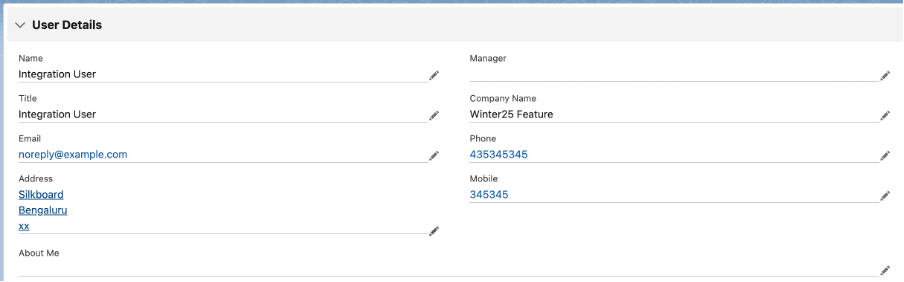
1) Managing Details About a User in One Place becomes easy now in Salesforce Winter 25 release:
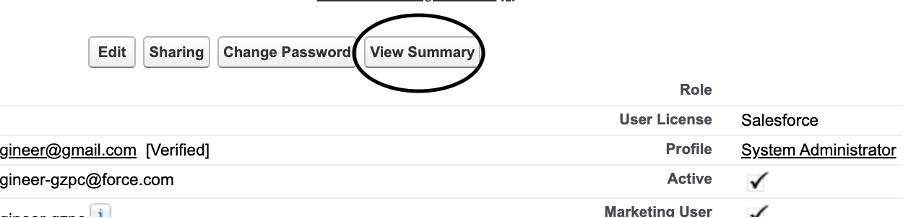
Now user’s information are consolidated at one place.If we go on user detail page and click View Summary button as below:
Once click on view summary below is the section of user consolidated view:
2) How a User’s Permissions Are Granted becomes easy in Salesforce Winter 25 release :
- Easiest way to know all the permission of specific User.
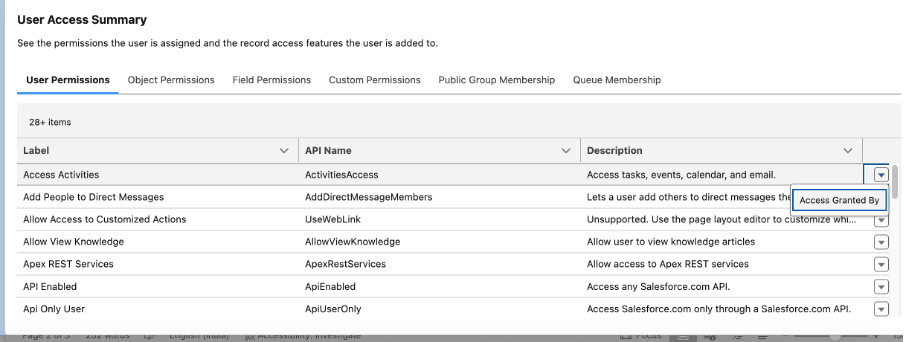
- Now we can manage easily check how specific user got specific permissions via Permission set, permission set group and Profile.
- It will be very easy to manage user, now will have visibility into the profile, permission sets, and permission set groups that grant permissions to a specific user.
Once you click on view summary below window of User Access Summary section would be open:
3) How Object Access Is Granted in Object Manager is great feature in Salesforce Winter 25 release:
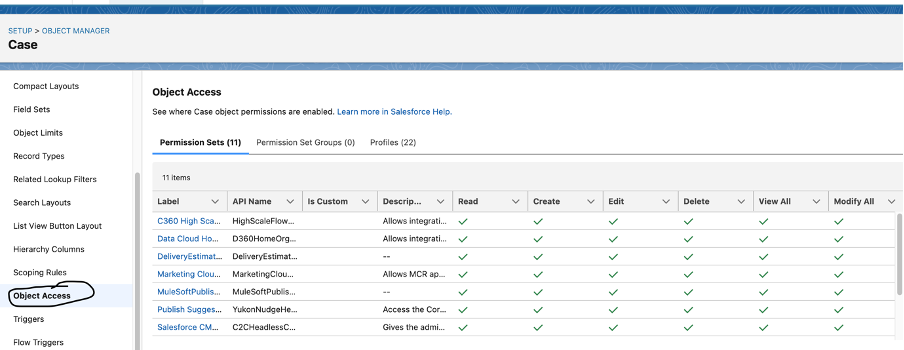
It’s very easy now to view the permission sets, permission set groups, and profiles that grant access to an object, and the level of access granted.
Setup >> Object Manager >> In the side bar left hand, Click Object Access.
4) Track Permission Changes with Event Monitoring now available in Salesforce Winter 25 release :
Now we can monitor when permissions and many other settings that are updated in profiles and permission sets via new Permission Update event type in the EventLogFile object.
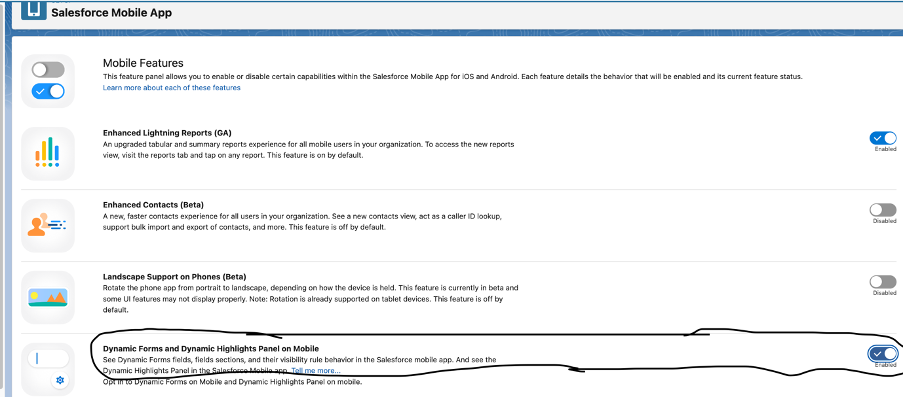
5) Dynamic Forms and Dynamic Highlights Panel on Mobile can be enable in Salesforce Winter 25 release:
Now we can enable dynamic forms and dynamic highlights panel on mobile.
Setup >> Salesforce Mobile App >> Dynamic Forms and Dynamic Highlights Panel on Mobile.
6) Make Inline Edits with the Enhanced User List View is available in Salesforce Winter 25 release :
Advanced List Views and in-line editing were available most of the object except User but from winter 25 releasenow it will be easy to quickly update and modify user records without navigating away from the list view.
Setup >> Users >> User Management Settings >> Enhanced User List
View then select user
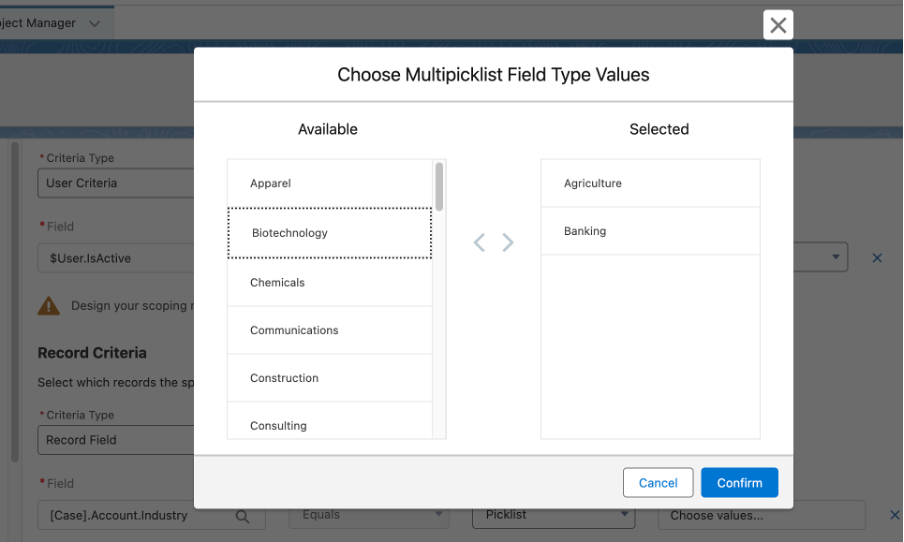
7) Reference Multiple Picklist Values in Restriction and Scoping Rules:
Now we can now use multiple picklist values in the record criteria of restriction and scoping rules.
It will be easy to configure which records and fields users can see when these rules are applied.
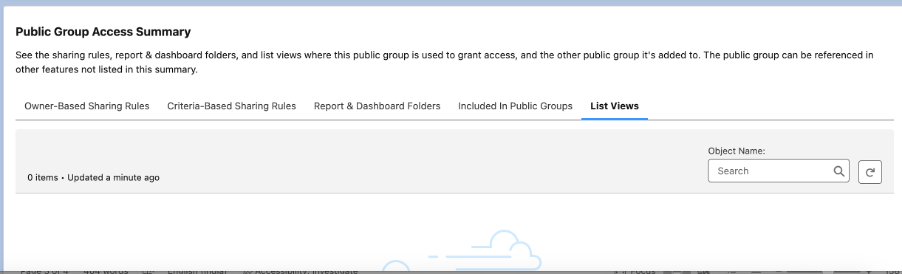
8) Manage Public Group Membership More Easily:
- Now we use the public group’s summary page to manage public group members.
- We can search all the available members, add or remove up to 100 members at a time.
- Additionally, you can edit and delete the selected public group on its summary page.
9) Add a Description for Public Groups:
When we create or edit a public group, after release of winter 25 it’s easy to provide a brief description of its purpose of creating public group.
10) Restore Only the Latest Entity History Records for a Deleted Entity:
Restore only the top 20,000 most recent and relevant history records for a deleted entity by enabling Field History Tracking. This restoration limit enhances database query latency and overall performance.
We have tried to cover good feature of salesforce winter 25 release. Here is the salesforce documentation link for Salesforce Winter 25 key feature in detail.
Thank you for the reading, Please feel free to comment your feedback and share.







Great features of winter 25 release!
Thanks Sandeep, I hope these features are useful.
Goof to know all these features.
Well explained!